


Understanding Keyboard Layouts: Why Size Matters
Choosing the right keyboard layout is one of the most important decisions in your setup. The layout determines your available keys, desk space, ergonomics, and even gaming performance. In 2026, the three most popular compact layouts are 75%, 65%, and 60% — each offering distinct advantages depending on your use case.
This comprehensive comparison helps you decide which layout matches your workflow, whether you're a competitive gamer, programmer, content creator, or general productivity user.
Quick Comparison Table
| Feature | 75% Layout | 65% Layout | 60% Layout |
|---|---|---|---|
| Total Keys | 82-84 | 66-68 | 61 |
| Function Row | Yes | No | No |
| Arrow Keys | Yes | Yes | No (layer) |
| Navigation Cluster | Partial (1 column) | Partial (1 column) | No |
| Width | ~31cm | ~29cm | ~27cm |
| Best For | All-rounders | Gamers + typists | Minimalist gamers |
| LUMINKEY Option | LUMINKEY75 V2 / V2 HE | LUMINKEY65 / 65 HE Ultra | Magger60 / 60 HE |
75% Layout: The Versatile All-Rounder
What You Get
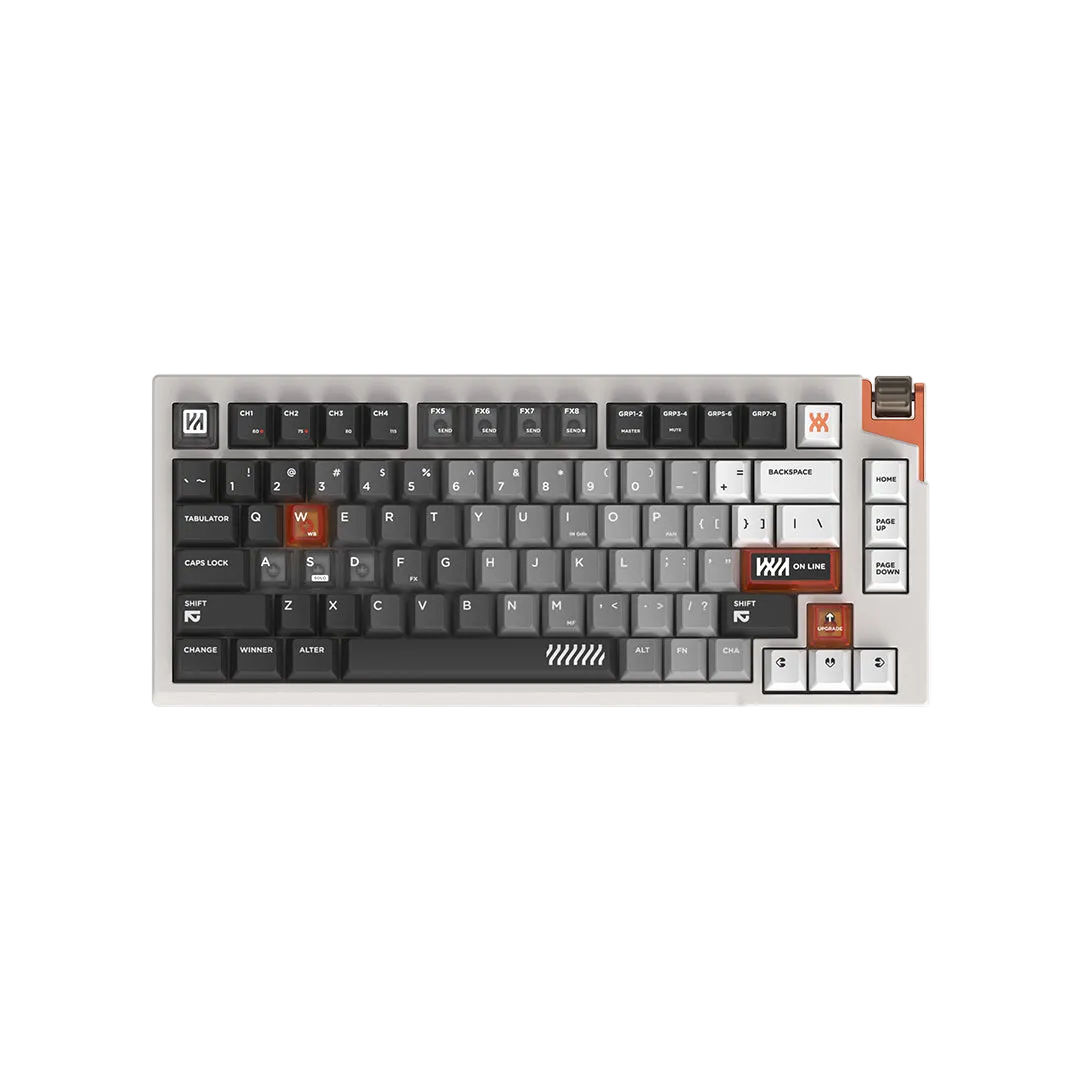
A 75% keyboard keeps the function row (F1-F12), dedicated arrow keys, and a compressed navigation column (Delete, Home, End, Page Up/Down). It's essentially a TKL keyboard compressed into a more compact footprint by eliminating the gap between key clusters.
Who It's For
- Programmers who use F-keys for debugging, IDE shortcuts, and terminal commands
- Content creators who need F-keys for software shortcuts (Premiere, Photoshop, Blender)
- Gamers who bind abilities or macros to F-keys
- Office workers who want compact without sacrificing any functionality
- First-time custom keyboard builders who want a safe, versatile choice
Pros and Cons
- Pro: No function layer needed for F-keys — everything is one keypress away
- Pro: Dedicated arrow and navigation keys for document editing
- Pro: Compact enough to give extra mouse space vs full-size or TKL
- Con: Slightly wider than 65% — less mouse space for extreme low-sens gamers
- Con: Compressed right side can feel cramped initially
LUMINKEY 75% Options
The LUMINKEY75 V2 is our flagship 75% offering with gasket mount, hot-swap PCB, and premium aluminum construction. For competitive gamers, the LUMINKEY75 V2 HE adds full hall effect switches with rapid trigger and adjustable actuation.
65% Layout: The Gamer's Sweet Spot
What You Get
A 65% keyboard removes the function row entirely but keeps dedicated arrow keys and a slim navigation column (usually Delete and a few others). It's the smallest layout that still has physical arrow keys without using layers.
Who It's For
- Gamers who want maximum mouse space but still need arrow keys for menu navigation
- Typists who can live without a dedicated function row
- Users who value aesthetics — 65% boards have a clean, balanced look
- People who occasionally use arrow keys for spreadsheets, text editing, or browsing
Pros and Cons
- Pro: Excellent balance of compactness and usability
- Pro: Dedicated arrow keys without layers
- Pro: More mouse space than 75% for gaming
- Pro: Clean aesthetic — no wasted space
- Con: No function row — F-keys require holding Fn
- Con: Limited navigation keys
LUMINKEY 65% Options
The LUMINKEY65 delivers premium 65% performance with gasket mount and hot-swap. The LUMINKEY65 HE ULTRA brings hall effect technology to the 65% form factor with rapid trigger and per-key actuation control.
60% Layout: Maximum Minimalism
What You Get
A 60% keyboard is the pure alphanumeric block — letters, numbers, modifiers, and nothing else. No function row, no arrow keys, no navigation cluster. Everything beyond the basics is accessed through function layers (holding Fn + another key).
Who It's For
- Competitive FPS gamers who want absolute maximum mouse space
- Minimalists who appreciate clean desk aesthetics
- Touch typists who are comfortable with layers and shortcuts
- Travelers who want the most portable keyboard possible
- Experienced custom keyboard users who have optimized their layers
Pros and Cons
- Pro: Maximum desk and mouse space — critical for low-sensitivity FPS players
- Pro: Smallest footprint, most portable
- Pro: Forces efficient keyboard use through layers
- Pro: Wide keycap compatibility — 60% is the most standard layout
- Con: Steep learning curve for arrow keys and F-keys via layers
- Con: Slower for tasks requiring frequent navigation key use
- Con: Not ideal for spreadsheet-heavy work
LUMINKEY 60% Options
The Magger60 is our mechanical 60% with hot-swap and gasket mount. The Magger60 HE adds hall effect switches with rapid trigger — the ultimate competitive FPS weapon with the smallest possible footprint.
How to Choose: Decision Framework
Choose 75% if:
- You use F-keys daily (programming, creative software, gaming binds)
- You're coming from a full-size or TKL and don't want to learn layers
- You want one keyboard that handles everything — gaming, work, and creative tasks
- You're building your first custom keyboard
Choose 65% if:
- You want the best balance of size and functionality
- You game frequently and want more mouse space than 75%
- You need arrow keys but can live without a dedicated function row
- You value a clean, balanced aesthetic
Choose 60% if:
- Competitive gaming is your primary use case
- You play at very low mouse sensitivity and need maximum desk space
- You're comfortable with function layers and keyboard shortcuts
- Portability and minimalism are priorities
Gaming Performance by Layout
For competitive gaming, the layout choice affects your available mouse space:
| Layout | Approx. Extra Mouse Space vs Full-Size | Best For |
|---|---|---|
| 75% | +8-10cm | Games with many keybinds (MMOs, MOBAs) |
| 65% | +10-12cm | Tactical shooters (Valorant, CS2) |
| 60% | +12-14cm | Pure aim-focused FPS at very low sens |
For most competitive FPS players, 65% is the sweet spot — you gain significant mouse space while keeping arrow keys for menu navigation and text chat. Only go 60% if you're fully committed to layers and play at extremely low sensitivity.
Final Recommendation
Still undecided? Here's our simple rule:
- If in doubt, go 75% — it's the safest choice with no compromises on functionality
- If you game seriously — go 65% for the ideal balance
- If you're a competitive FPS purist — go 60% for maximum performance
Explore all three layouts in our keyboard collection — every LUMINKEY board features gasket mount construction, hot-swap sockets, and premium build quality regardless of size.
Shop LUMINKEY Keyboards by Layout
Related Articles
- Rapid Trigger Explained: Why It's Essential for Competitive Gaming in 2026
- Best Gaming Keyboards 2026: Hall Effect vs Mechanical for Competitive Play
- How to Build a Custom Mechanical Keyboard: Complete Beginners Guide 2026
75% Layout: The Versatile All-Rounder
What You Get
A 75% keyboard keeps the function row (F1-F12), dedicated arrow keys, and a compressed navigation column (Delete, Home, End, Page Up/Down). It's essentially a TKL keyboard compressed into a more compact footprint by eliminating the gap between key clusters.
Who It's For
- Programmers who use F-keys for debugging, IDE shortcuts, and terminal commands
- Content creators who need F-keys for software shortcuts (Premiere, Photoshop, Blender)
- Gamers who bind abilities or macros to F-keys
- Office workers who want compact without sacrificing any functionality
- First-time custom keyboard builders who want a safe, versatile choice
Pros and Cons
- Pro: No function layer needed for F-keys — everything is one keypress away
- Pro: Dedicated arrow and navigation keys for document editing
- Pro: Compact enough to give extra mouse space vs full-size or TKL
- Con: Slightly wider than 65% — less mouse space for extreme low-sens gamers
- Con: Compressed right side can feel cramped initially
LUMINKEY 75% Options
The LUMINKEY75 V2 is our flagship 75% offering with gasket mount, hot-swap PCB, and premium aluminum construction. For competitive gamers, the LUMINKEY75 V2 HE adds full hall effect switches with rapid trigger and adjustable actuation.
65% Layout: The Gamer's Sweet Spot
What You Get
A 65% keyboard removes the function row entirely but keeps dedicated arrow keys and a slim navigation column (usually Delete and a few others). It's the smallest layout that still has physical arrow keys without using layers.
Who It's For
- Gamers who want maximum mouse space but still need arrow keys for menu navigation
- Typists who can live without a dedicated function row
- Users who value aesthetics — 65% boards have a clean, balanced look
- People who occasionally use arrow keys for spreadsheets, text editing, or browsing
Pros and Cons
- Pro: Excellent balance of compactness and usability
- Pro: Dedicated arrow keys without layers
- Pro: More mouse space than 75% for gaming
- Pro: Clean aesthetic — no wasted space
- Con: No function row — F-keys require holding Fn
- Con: Limited navigation keys
LUMINKEY 65% Options
The LUMINKEY65 delivers premium 65% performance with gasket mount and hot-swap. The LUMINKEY65 HE ULTRA brings hall effect technology to the 65% form factor with rapid trigger and per-key actuation control.
60% Layout: Maximum Minimalism
What You Get
A 60% keyboard is the pure alphanumeric block — letters, numbers, modifiers, and nothing else. No function row, no arrow keys, no navigation cluster. Everything beyond the basics is accessed through function layers (holding Fn + another key).
Who It's For
- Competitive FPS gamers who want absolute maximum mouse space
- Minimalists who appreciate clean desk aesthetics
- Touch typists who are comfortable with layers and shortcuts
- Travelers who want the most portable keyboard possible
- Experienced custom keyboard users who have optimized their layers
Pros and Cons
- Pro: Maximum desk and mouse space — critical for low-sensitivity FPS players
- Pro: Smallest footprint, most portable
- Pro: Forces efficient keyboard use through layers
- Pro: Wide keycap compatibility — 60% is the most standard layout
- Con: Steep learning curve for arrow keys and F-keys via layers
- Con: Slower for tasks requiring frequent navigation key use
- Con: Not ideal for spreadsheet-heavy work
LUMINKEY 60% Options
The Magger60 is our mechanical 60% with hot-swap and gasket mount. The Magger60 HE adds hall effect switches with rapid trigger — the ultimate competitive FPS weapon with the smallest possible footprint.
How to Choose: Decision Framework
Choose 75% if:
- You use F-keys daily (programming, creative software, gaming binds)
- You're coming from a full-size or TKL and don't want to learn layers
- You want one keyboard that handles everything — gaming, work, and creative tasks
- You're building your first custom keyboard
Choose 65% if:
- You want the best balance of size and functionality
- You game frequently and want more mouse space than 75%
- You need arrow keys but can live without a dedicated function row
- You value a clean, balanced aesthetic
Choose 60% if:
- Competitive gaming is your primary use case
- You play at very low mouse sensitivity and need maximum desk space
- You're comfortable with function layers and keyboard shortcuts
- Portability and minimalism are priorities
Gaming Performance by Layout
For competitive gaming, the layout choice affects your available mouse space:
| Layout | Approx. Extra Mouse Space vs Full-Size | Best For |
|---|---|---|
| 75% | +8-10cm | Games with many keybinds (MMOs, MOBAs) |
| 65% | +10-12cm | Tactical shooters (Valorant, CS2) |
| 60% | +12-14cm | Pure aim-focused FPS at very low sens |
For most competitive FPS players, 65% is the sweet spot — you gain significant mouse space while keeping arrow keys for menu navigation and text chat. Only go 60% if you're fully committed to layers and play at extremely low sensitivity.
Final Recommendation
Still undecided? Here's our simple rule:
- If in doubt, go 75% — it's the safest choice with no compromises on functionality
- If you game seriously — go 65% for the ideal balance
- If you're a competitive FPS purist — go 60% for maximum performance
Explore all three layouts in our keyboard collection — every LUMINKEY board features gasket mount construction, hot-swap sockets, and premium build quality regardless of size.
共有する:
Best Keyboard for Valorant and CS2: Pro Settings and Switch Guide 2026
Magger68 HE Performance Review: Best Hall Effect Keyboard Under $100